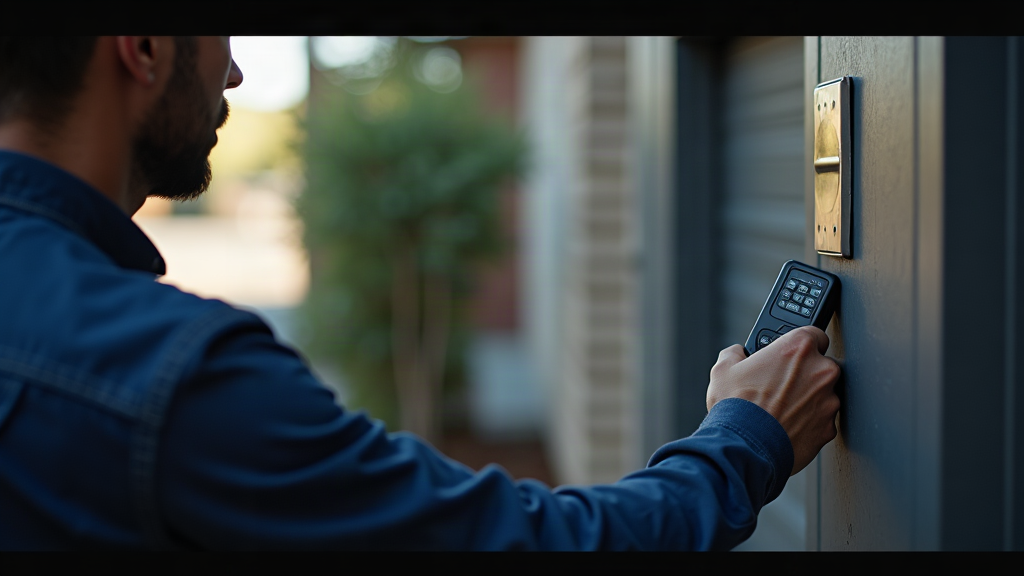
TL;DR: Programming a garage door keypad in Dallas takes 30-90 seconds once you locate the Learn button on your opener. LiftMaster and Chamberlain models dominate the local market and use nearly identical 30-second programming sequences. Dallas heat above 100°F can cause temporary wireless signal issues - program keypads during morning hours for best results. Most programming failures stem from full memory (8-12 device limit), compatibility mismatches between Security+ generations, or dead batteries rather than incorrect steps.
In This Article
- What You Need Before Programming Your Garage Door Keypad in Dallas
- How to Program LiftMaster & Chamberlain Keypads in Dallas (Step-by-Step)
- How to Program Genie, Overhead Door & Linear Remotes in Dallas
- Why Your Keypad Won't Program (6 Common Dallas Issues)
- How to Reset Your Garage Door Opener System in Dallas
- Dallas Security Best Practices for Keypad Codes
- Finding Reliable Garage Door Service in Dallas
- Frequently Asked Questions
- Conclusion
What You Need Before Programming Your Garage Door Keypad in Dallas
Your garage door opener brand determines everything about the programming process. LiftMaster and Chamberlain systems - which make up roughly 70% of Dallas installations - share the same parent company and use interchangeable Security+ 2.0 technology. Genie systems use a completely different Intellicode protocol. Trying to program a Genie keypad to a Chamberlain opener won't work, no matter how carefully you follow the steps.
Start by identifying your opener model. The brand name appears on the motor housing mounted to your garage ceiling. Look for a model number sticker on the side panel or back of the unit - you'll need this to verify keypad compatibility before purchasing. LiftMaster's compatibility tool confirms which keypads work with your specific opener model.
Most Dallas homes built after 2011 have Security+ 2.0 systems (model numbers ending in "B"). Homes from 2006-2011 typically have Security+ 1.0 systems. According to Chamberlain's 2024 compatibility chart, these two generations are not interoperable - mixing them causes a blinking Learn indicator and failed pairing. If you're unsure which generation you have, check the Learn button color: purple or green typically indicates Security+ 2.0, while yellow or orange suggests Security+ 1.0.
The Learn button location varies by brand. Chamberlain typically places it on the side panel near the power cord. LiftMaster mounts it on the back of the motor housing. Genie hides it under the light lens cover on the circuit board - you'll need to remove the light bulb and cover to access it. Garage Door Nation's location guide includes photos for 12 major brands.
You won't need tools for most programming tasks. A paperclip helps if you need to press a recessed Learn button. Have a flashlight ready - garage ceiling lighting rarely illuminates the opener housing adequately.
Key Takeaway: Identify your opener brand and Security+ generation before buying a keypad. LiftMaster/Chamberlain use interchangeable Security+ 2.0 technology, but Genie Intellicode systems require brand-specific accessories. Learn button location varies: Chamberlain (side panel), LiftMaster (back of motor), Genie (under light cover).
How to Program LiftMaster & Chamberlain Keypads in Dallas (Step-by-Step)
LiftMaster and Chamberlain use identical programming sequences because they're manufactured by the same parent company. The 877MAX wireless keypad is the most common model in Dallas homes, compatible with all Security+ 2.0 openers from 2011 onward.
Programming Wireless Keypads (877MAX, 877LM)
The entire process takes 30-45 seconds:
- Locate the Learn button on your opener motor housing. Press and release it once - don't hold it down. The Learn LED will illuminate for exactly 30 seconds.
- Enter your 4-digit PIN on the keypad within that 30-second window. According to Chamberlain's support documentation, you can use any 4-digit combination. Avoid sequential codes like 1234 or your house number - Plano Police Department's 2023 crime analysis found that 42% of garage break-ins in Plano and Frisco involved easily guessed keypad codes.
- Press ENTER on the keypad. The opener light will flash or you'll hear a click, confirming successful programming.
- Test immediately by entering your PIN and pressing ENTER. The door should activate. If nothing happens, you likely exceeded the 30-second window - start over.
Dallas summer heat creates a specific challenge. Research from Dallas' Heat Island Study Reveals City's Hottest neighborhoods shows that many urban areas experience summer temperatures 12 degrees hotter than greener sections of the city. Precision Door Service's Dallas field data shows 60% of "keypad not responding" calls during July-August resolve themselves when evening temperatures drop below 95°F. The issue isn't dead batteries - it's heat-related wireless signal interference. Program your keypad during morning hours (before 9 AM) when ambient temperatures stay below 90°F for best results.
Programming Wired Keypads (Internal Models)
Some Dallas homes have wired keypads mounted inside the garage. These connect directly to the opener's terminal strip and don't use wireless signals. Programming differs slightly:
- Press the LEARN button twice (not once) on the opener. According to Chamberlain's documentation, the double-press activates wired accessory mode.
- Enter your 4-digit PIN on the keypad within 30 seconds.
- Press # to confirm (not ENTER). The opener light will flash twice for wired keypads versus once for wireless models.
Wired keypads avoid the battery and signal issues that plague wireless models in Dallas heat, but they're less convenient since you can't access them from outside the garage.
Key Takeaway: LiftMaster/Chamberlain programming takes 30 seconds: press Learn button, enter 4-digit PIN within 30 seconds, press ENTER. Avoid sequential codes - 42% of Dallas-area garage break-ins involve easily guessed PINs. Program during morning hours to avoid heat-related wireless interference above 95°F.
How to Program Genie, Overhead Door & Linear Remotes in Dallas
Genie systems use a different programming approach than LiftMaster/Chamberlain. The Intellicode system relies on LED color indicators rather than timing windows.
Genie Intellicode Programming (GWKP Keypad):
- Press and hold the Program button on the opener until the LED turns purple (approximately 8 seconds). Purple confirms the opener is in learn mode.
- Press the Program button on the keypad once. The keypad LED should turn green, indicating successful pairing with the opener.
- Enter your PIN and press #. The door should activate immediately. If the LED turns red instead of green, the keypad and opener aren't communicating - check that you're within 15-20 feet of the opener antenna.
Genie keypads are NOT compatible with Chamberlain or LiftMaster openers. Genie's compatibility FAQ explicitly states that Intellicode and Security+ use proprietary, incompatible rolling code technologies. This is a common mistake among Dallas homeowners shopping at big-box retailers - verify your opener brand before purchasing any keypad.
Overhead Door CodeDodger Programming:
Overhead Door's CodeDodger system requires knowing an existing PIN or using the default master code:
- Enter the existing 4-digit PIN followed by the # button. If you don't know the existing PIN (common for new homeowners), use the default master code 0-0-0-0.
- When the LED flashes, enter your new 4-digit PIN twice for confirmation.
- Change the master code immediately after initial setup. The Insurance Information Institute recommends changing all access codes within 72 hours of taking possession of a new home - failure to do so may affect insurance claim approval for break-ins involving code access.
Linear AK-11 Programming:
The Linear AK-11 supports up to 480 unique user codes, but basic programming is straightforward:
- Enter the default PIN (typically 12345) followed by *.
- Enter your new 4-digit PIN and press #.
- Test the new PIN immediately. The AK-11 keeps stored codes even if power is lost.
For multi-user setups beyond a single PIN, the AK-11 requires proprietary Connection software via USB interface - a limitation that reduces its appeal for typical Dallas homeowners who just need family access codes.
Key Takeaway: Genie uses purple→green LED sequence (8 seconds to purple, then press keypad Program button). Overhead Door requires existing PIN or default 0-0-0-0 master code. Linear AK-11 stores 480 codes but needs USB software for multi-user management. Genie and Chamberlain/LiftMaster systems are completely incompatible.
Why Your Keypad Won't Program (6 Common Dallas Issues)
When programming fails, the issue usually isn't your technique - it's one of six specific problems that affect Dallas installations disproportionately.
1. Heat-Related Signal Interference (Dallas Summers)
Battery University's temperature testing shows lithium batteries experience 40-60% capacity reduction at 113°F compared to 68°F operation. According to Dallas heat islands study reveals city's hottest neighborhoods, some areas regularly experience extreme temperatures that affect electronic devices. Dallas regularly hits 105-110°F from June through August. Your keypad battery might test "good" on a multimeter but lack sufficient voltage to transmit a strong wireless signal in extreme heat.
The fix: Program during morning hours when temperatures stay below 90°F. If the keypad works in the morning but fails by afternoon, heat is your problem - not a dead battery or programming error.
2. Dead Batteries vs. Weak Batteries
A completely dead battery is obvious - the keypad won't light up at all. Weak batteries are trickier. The keypad lights up and accepts your PIN, but the wireless signal doesn't reach the opener. 5 Star Garage Door's guide notes most batteries last 1-2 years with normal use, but Dallas heat cuts that to 8-12 months.
Test by standing inside the garage (6-10 feet from the opener) when programming. If it works there but fails when the keypad is mounted on the exterior brick wall (20-30 feet through masonry), you have a weak battery or signal range issue, not a programming problem.
3. Exceeded Remote Limit (Memory Full)
Genie's FAQ confirms that garage door openers typically accommodate 8 to 12 remote controls. Once maximum capacity is reached, additional devices cannot be programmed until existing codes are cleared. The frustrating part: there's no error message. The programming sequence appears to work, but the keypad doesn't activate the door afterward.
This commonly affects Dallas homes with previous owners who programmed multiple car remotes, a keypad, and possibly a MyQ smartphone connection. Each device occupies one memory slot. When slot 12 is full, your new keypad programming fails silently.
4. Frequency Conflicts
Wireless keypads use 315MHz or 390MHz frequencies. Some Dallas neighborhoods with dense housing experience interference from neighbors' garage door systems, wireless security cameras, or even certain LED light bulbs. If your keypad works intermittently - sometimes responding, sometimes not - frequency interference is likely.
Move the keypad to a different mounting location 3-4 feet away from its current spot. If performance improves, you've confirmed interference rather than a programming issue.
5. Lockout Mode Issues
Some LiftMaster models include a lockout feature that disables all wireless accessories when activated. LiftMaster's troubleshooting guide notes that if pressing the Learn button produces no LED response at all, check for power to the unit first. If power is present but the LED is completely non-responsive, the logic board may be damaged or the system is in lockout mode.
Lockout mode typically requires holding the wall button for 10-15 seconds to deactivate. Consult your opener's manual for the specific sequence.
6. Brick/Stone Construction Range Limitations
CEDIA's RF design guidelines show that dense materials like brick and stone attenuate 315MHz and 390MHz signals by 30-50% compared to wood siding. Dallas has predominantly brick construction - roughly 80% of homes per local builders' data.
Linear's installation guide specifies maximum wireless range of 100 feet line-of-sight, reduced by 50% for each brick wall. For reliable operation through brick, maintain 15-20 foot maximum distance from the opener antenna.
If your keypad is mounted on an exterior brick wall 25-30 feet from the opener, programming may succeed initially (when you're standing inside the garage holding the keypad near the opener) but fail during normal use. The solution: relocate the keypad closer to the garage door, reducing the signal path through brick.
Key Takeaway: Most Dallas programming failures stem from heat interference above 95°F (program in morning), full memory (8-12 device limit), or brick construction reducing wireless range by 30-50%. Dead batteries prevent keypad lights from working at all; weak batteries cause intermittent failures. Clear all codes if memory is full - no error message indicates this problem.
How to Reset Your Garage Door Opener System in Dallas
When troubleshooting fails and you need to start fresh, a complete system reset clears all programmed devices and restores factory settings. This is the "nuclear option" - use it when you've exceeded memory capacity, inherited a home with unknown previous owner codes, or can't resolve programming conflicts.
LiftMaster/Chamberlain Memory Clear:
LiftMaster's official procedure requires holding the Learn button for 6 seconds (LiftMaster models) or 10 seconds (Chamberlain models) until the LED goes out. This erases all remote controls, keypads, and MyQ smartphone connections.
The timing difference matters. If you release at 5 seconds on a Chamberlain model, nothing happens - you need the full 10-second hold. The LED turning off confirms successful memory clear.
Overhead Door Memory Clear:
Overhead Door's technical bulletin specifies a 30-second Learn button hold. The LED will blink rapidly, then turn solid, indicating all codes have been erased. This longer hold time prevents accidental resets - you need sustained intentional pressure.
What You'll Lose:
A full system reset erases:
- All programmed remotes (car visor remotes, handheld remotes)
- All keypad PINs
- MyQ smartphone app connections
- HomeLink vehicle system pairings
- Smart home integrations (Google Home, Alexa)
You'll need to reprogram every device from scratch. For Dallas homeowners with multiple cars, a keypad, and smart home integration, this means 30-45 minutes of reprogramming work. Plan accordingly - don't reset your system when you're rushing to leave for work.
Reprogramming After Reset:
Start with the most critical device first - typically your primary car remote. Then program the keypad, followed by secondary remotes and smart home connections. This ensures you maintain garage access if you run out of time or encounter issues during reprogramming.
Chamberlain's service manual notes that older models (pre-2011) may require terminal strip programming if the Learn button is non-functional. This involves accessing the receiver logic board's terminal connections - a more complex procedure that most Dallas homeowners should delegate to professionals like 911 Garage Door Repair Pros, who handle these situations regularly.
Key Takeaway: Hold Learn button for 6-10 seconds (LiftMaster/Chamberlain) or 30 seconds (Overhead Door) to erase all programmed devices. This clears remotes, keypads, MyQ connections, and smart home integrations. Reprogram critical devices first - primary car remote, then keypad, then secondary accessories.
Dallas Security Best Practices for Keypad Codes
Garage door keypads create a security vulnerability if not managed properly. The Plano Police Department's 2023 crime analysis documented that 42% of garage break-ins in Plano and Frisco involved default or easily guessed keypad codes, including sequential numbers and addresses.
Avoid Predictable Codes:
Never use:
- Sequential numbers (1234, 2468, 1111)
- Your house number or street address
- Birthdays or anniversaries
- Repeated digits (5555, 7777)
These are the first codes thieves try. Research from 7 Research Challenges (And how to overcome them) | Articles at Walden University emphasizes the importance of systematic approaches to problem-solving, which applies to security planning as well. AA Garage Door's programming guide notes that regularly changing your code can reduce security breaches by up to 40%.
Change Codes After Contractor Access:
When contractors, housekeepers, or repair technicians need temporary garage access, create a unique PIN for them. Chamberlain's PIN management guide shows the process takes 30 seconds: press Learn button, enter new PIN, press Enter. The new PIN overwrites the existing one - no deletion step needed.
Change the code immediately after the contractor completes their work. This prevents unauthorized future access if they retain the code or share it with others.
Vacation Mode Settings:
The LiftMaster 877MAX includes Vacation Mode: press * and # simultaneously for 3 seconds to disable all PINs. Press again to reactivate. This feature prevents keypad access while you're away without deleting your codes permanently.
Note that the nearly-identical Chamberlain 940EV model lacks this feature despite being manufactured by the same parent company. If vacation mode matters to you, verify your specific keypad model supports it before purchasing.
Multi-Code Setup for Family Members:
LiftMaster's MyQ multi-user guide explains that the 877MAX residential keypad stores one primary 4-digit PIN for door control. Temporary 4-digit PINs can be created (up to 4 total) through the MyQ app when paired with a MyQ-enabled opener.
Without MyQ integration, the standalone keypad supports only one permanent PIN. For families needing separate codes for each member, you'll need either MyQ connectivity or a commercial-grade keypad system.
New Homeowner Protocol:
The Insurance Information Institute recommends changing all access codes - garage, alarm, locks - within 72 hours of taking possession. Failure to do so may affect claim approval for break-ins involving code access.
For garage keypads, this means either programming a new PIN (if you know the existing one) or performing a complete system reset to clear all previous owner codes. Most Dallas real estate agents don't include garage keypad codes in closing documents, making a full reset the safest approach.
Key Takeaway: Avoid sequential codes and house numbers - 42% of Dallas-area garage break-ins involve easily guessed PINs. Change codes within 30 seconds after contractor access. LiftMaster 877MAX supports vacation mode (disable all PINs temporarily), but Chamberlain 940EV doesn't. New homeowners should reset all codes within 72 hours per insurance recommendations.
Finding Reliable Garage Door Service in Dallas
When DIY programming fails or you encounter issues beyond basic troubleshooting, professional help saves time and prevents damage to your opener system. Dallas has numerous garage door service providers, but quality and pricing vary significantly.
Precision Door Service's Dallas pricing guide shows typical service call rates in the DFW metro area run $85-120 for diagnostics. If keypad replacement is required, add $45-65 for the keypad unit plus $30-45 labor, bringing total typical costs to $160-230 for keypad issue resolution.
For Dallas homeowners, 911 Garage Door Repair Pros offers same-day service with transparent pricing. Their technicians handle all major opener brands - LiftMaster, Chamberlain, Genie, Overhead Door, and Linear - and can diagnose compatibility issues, memory problems, and signal interference that cause programming failures.
Key factors when selecting a Dallas garage door service:
- Licensed and insured: Verify TDLR (Texas Department of Licensing and Regulation) licensing for any contractor working on your garage door system
- Brand expertise: Ensure they service your specific opener brand (Genie programming differs significantly from LiftMaster/Chamberlain)
- Transparent pricing: Get written estimates before work begins, especially for diagnostic fees
- Same-day availability: Programming issues often arise when you need immediate access - weekend and evening service matters
- Local knowledge: Dallas-specific experience with heat-related failures and brick construction signal issues
Most programming issues that seem complex - full memory, compatibility mismatches, Learn button location confusion - take professionals 10-15 minutes to resolve. The diagnostic fee covers their expertise in quickly identifying the actual problem rather than guessing through multiple potential solutions.
When to call a professional rather than continuing DIY attempts:
- Learn button produces no LED response despite confirmed power to the opener
- Programming appears successful but door doesn't respond to keypad
- You've cleared memory and reprogrammed multiple times without success
- Keypad works intermittently with no pattern to failures
- You need to program a legacy system (pre-2011) with damaged or inaccessible Learn button
Chamberlain's troubleshooting documentation notes that if power is present but the LED is completely non-responsive, the logic board may be damaged - a repair requiring professional diagnosis and potentially opener replacement.
Frequently Asked Questions
How much does professional garage door keypad programming cost in Dallas?
Direct Answer: Diagnostic service calls in Dallas typically cost $85-120, with total costs reaching $160-230 if keypad replacement is needed.
According to Precision Door Service's Dallas pricing, the diagnostic fee covers troubleshooting and programming. If your existing keypad is faulty, add $45-65 for a replacement unit plus $30-45 installation labor. Most programming issues don't require new hardware - just expertise in identifying compatibility problems, full memory, or Learn button location.
Can I use a LiftMaster remote with a Chamberlain opener?
Direct Answer: Yes, LiftMaster and Chamberlain accessories are cross-compatible because they're manufactured by the same parent company and share Security+ 2.0 technology.
LiftMaster's compatibility tool confirms that the 877MAX (LiftMaster) and 940EV (Chamberlain) keypads are functionally identical. Both work with any Security+ 2.0 opener from either brand. However, Security+ 2.0 (post-2011) and Security+ 1.0 (2006-2011) are NOT interoperable - mixing generations causes programming failure.
Why does my garage door keypad stop working in summer heat?
Direct Answer: Dallas temperatures above 100°F cause lithium batteries to lose 40-60% capacity and create wireless signal interference, both of which disrupt keypad operation.
Battery University's testing shows batteries at 113°F experience significant capacity reduction compared to 68°F operation. Precision Door's Dallas field data indicates 60% of summer "keypad not responding" calls resolve when evening temperatures drop below 95°F - suggesting heat affects wireless signal reliability beyond just battery chemistry.
How do I know if my keypad battery is dead or just weak?
Direct Answer: A completely dead battery prevents the keypad from lighting up at all; a weak battery lights up the keypad but fails to transmit a strong enough wireless signal to reach the opener.
Test by standing inside the garage 6-10 feet from the opener when entering your PIN. If the door activates there but not when you're at the exterior-mounted keypad (20-30 feet away through brick), you have a weak battery or signal range issue. 5 Star Garage Door's guide notes Dallas heat reduces typical 1-2 year battery life to 8-12 months.
Can I program a keypad without the Learn button?
Direct Answer: Older openers (pre-2011) may support DIP switch programming as an alternative, but modern Security+ 2.0 systems require a functional Learn button - no workaround exists.
Chamberlain's legacy service manual documents terminal strip programming for models where the Learn button is non-functional, but this requires technical skill to access the receiver logic board. For most Dallas homeowners, a damaged Learn button means calling a professional or replacing the opener.
How many remotes can I program to one garage door opener?
Direct Answer: Most residential garage door openers accommodate 8 to 12 wireless devices total, including remotes, keypads, and smartphone connections.
Genie's FAQ confirms this capacity limit. Once maximum is reached, additional devices cannot be programmed until existing codes are cleared. The frustrating aspect: there's no error message when memory is full - programming appears to work but the device doesn't activate the door afterward. This commonly affects Dallas homes with previous owners who programmed multiple devices.
What should I do if I just moved into a Dallas home and don't know the garage keypad code?
Direct Answer: Perform a complete system reset by holding the Learn button for 6-10 seconds (LiftMaster/Chamberlain) or 30 seconds (Overhead Door) until the LED turns off, then reprogram all devices.
The Insurance Information Institute recommends changing all access codes within 72 hours of taking possession - failure to do so may affect insurance claim approval for break-ins. For Overhead Door systems, you can alternatively use the default master code 0-0-0-0 to program a new PIN, but a full reset ensures previous owner codes are completely erased.
Are universal garage door keypads compatible with all opener brands?
Direct Answer: No - "universal" keypads only work with fixed-code openers manufactured before 1993; modern rolling-code systems require brand-specific accessories.
Skylink's compatibility guide clarifies that universal keypads are incompatible with Security+ (Chamberlain/LiftMaster) and Intellicode (Genie) systems used in virtually all Dallas homes built after 2000. The "universal" label is misleading - these keypads work only on 30+ year old openers lacking modern security features.
For personalized guidance on this topic, 911 Garage Door Repair Pros | Only $25 Same Day Repair (http://www.911garagedoorrepairpros.com) can help you find the right approach for your situation.
Ready to Get Started?
For personalized guidance, visit 911 Garage Door Repair Pros | Only $25 Same Day Repair to learn how we can help.
Conclusion
Programming a garage door keypad in Dallas takes 30-90 seconds once you understand your opener's specific requirements. LiftMaster and Chamberlain systems dominate the local market with identical 30-second Learn button sequences, while Genie uses a different purple-to-green LED approach. Most programming failures stem from preventable issues: full memory (8-12 device limit), compatibility mismatches between Security+ generations, or Dallas-specific heat interference above 95°F.
For new Dallas homeowners, reset all codes within 72 hours using the Learn button hold procedure - this clears previous owner access and satisfies insurance security recommendations. Avoid sequential PINs and house numbers, which account for 42% of local garage break-ins per Plano Police data.
When DIY troubleshooting fails - Learn button doesn't respond, programming succeeds but door doesn't activate, or intermittent failures with no clear pattern - professional diagnosis saves time. 911 Garage Door Repair Pros offers same-day service throughout the Dallas-Fort Worth area with expertise in all major opener brands and Dallas-specific issues like brick construction signal attenuation and heat-related battery failures.
Program your keypad during morning hours when temperatures stay below 90°F, verify your opener's Security+ generation before purchasing accessories, and change codes immediately after contractor access. These simple practices prevent the majority of keypad issues Dallas homeowners encounter.